Best Free Alternatives to JAWS Screen Reader in 2026
JAWS costs over $1,000 — but you don't have to pay that. Discover the 7 best free alternatives to JAWS screen reader in 2026, including NVDA, VoiceOver, TalkBack, and more. Works in Pakistan too.
Inclusive Info Hub
6/10/2026
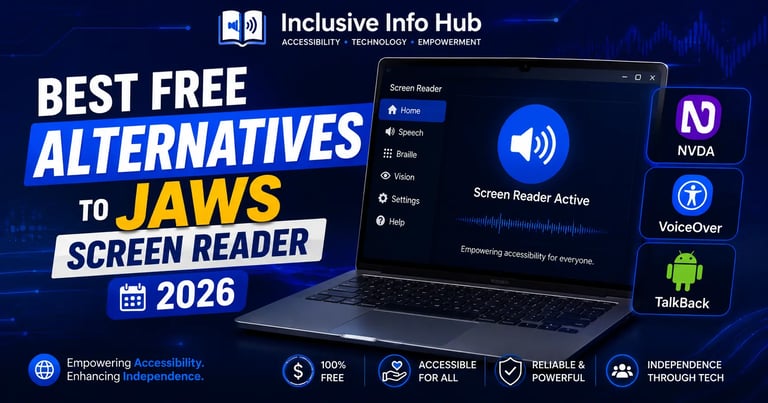
JAWS — Job Access With Speech, is the most widely used screen reader in the world. It is powerful, reliable, and trusted by blind and visually impaired users in workplaces, universities, and homes across every continent. There is a reason it has held the top position for decades.
But JAWS comes at a serious cost. A perpetual professional licence runs well over $1,000 USD, and annual subscription plans add ongoing expenses that many individuals, students, and families simply cannot afford, especially in countries like Pakistan where assistive technology funding is limited or unavailable.
The good news is that in 2026, the free alternatives to JAWS are better than they have ever been. Several of them are built directly into operating systems you already own. Others are free, open-source tools used by hundreds of thousands of people globally. None of them require you to spend a single rupee or dollar to get started.
This article covers the 7 best free alternatives to JAWS in 2026 — what each one does, who it suits best, where it falls short, and how it compares to JAWS directly.
Why Is JAWS So Expensive?
Before covering the alternatives, it helps to understand why JAWS costs what it does.
JAWS is developed by the Blind and Low Vision Group of Freedom Scientific and has been continuously developed since 1989. According to the WebAIM survey, JAWS is the most widely used screen reader, with 40.5% of survey respondents naming it as their primary desktop or laptop screen reader. It supports a wide range of operating systems, browsers, and applications, and 95.6% of respondents using JAWS said they were either very or somewhat satisfied with the software.
That level of compatibility, development, and ongoing support has a cost. Perpetual licences are available alongside subscription options with 1-, 2-, or 3-year terms, with software maintenance agreements to ensure users stay current with updates.
For organisations, institutions, and professionals who depend on JAWS daily and have the budget, it is worth the investment. For students, individuals, and users in lower-income countries, the price is simply not realistic — and they should not have to go without a screen reader because of it.
1. NVDA — The Best Free JAWS Alternative, Full Stop
Price: Free and open source
Platform: Windows
Download: nvaccess.org
Best for: Anyone switching from JAWS on Windows
If you take one thing away from this article, make it this: NVDA (NonVisual Desktop Access) is the closest free equivalent to JAWS available today, and for many users it is just as capable.
Developed by NV Access, NVDA is a free, open-source screen reader designed for Microsoft Windows, used by over 200,000 people worldwide. It translates visual information into verbal output, making digital content accessible to everyone.
NVDA is the second most popular screen reader overall, with 37.7% of WebAIM survey respondents using it as their primary screen reader. Unlike JAWS, NVDA is free and open source, which is a significant advantage.
For students and everyday users, NVDA covers everything that matters: reading web pages, navigating Microsoft Office documents, working with emails, filling online forms, and browsing with Chrome or Firefox. It supports braille displays, offers speech customisation, and can be run as a portable app directly from a USB drive — meaning no installation is needed on a shared or university computer.
What NVDA does better than JAWS:
Completely free with no usage limits or trial periods
Portable app version runs without installation
Lighter on system memory than JAWS
Active open-source community constantly improving it
Works excellently with Google Chrome and Firefox
Where NVDA falls behind JAWS:
Less customisation through scripting for complex enterprise software
Some corporate and government systems are specifically configured for JAWS only
Voice quality with the default synthesiser is slightly less polished than JAWS with Eloquence
For Pakistani users: NVDA works without any regional restriction, requires no licence key, and runs well on modest hardware — including older Windows laptops commonly used in Pakistani universities and schools.
Verdict: If you are a student or individual user on Windows and cannot afford JAWS, NVDA is your answer. Download it today from nvaccess.org.
2. VoiceOver — Apple's Built-In Screen Reader (Free on Every Apple Device)
Price: Free (built into every Apple device)
Platform: macOS, iOS, iPadOS
How to enable: Settings → Accessibility → VoiceOver
Best for: iPhone, iPad, and Mac users
VoiceOver comes pre-installed on every iPhone, iPad, and Mac — no download, no registration, no cost. For Apple users, it is the most seamless screen reader available because it is integrated at the deepest level of the operating system.
VoiceOver has deep OS-level integration and includes features like braille support and functions tailored specifically to Mac hardware, including a Rotor function mapped to the touchpad and gestures.
For students using iPhones — which is the majority of university students globally — VoiceOver means a full-featured screen reader is already on the device in their pocket. It reads every app on the App Store that follows Apple's accessibility guidelines, works with third-party braille displays, and integrates with Siri for voice-controlled navigation.
On Mac, VoiceOver is the standard tool for blind students at universities that use Apple hardware. It reads web pages, documents, emails, and most professional applications with strong reliability.
What VoiceOver does better than JAWS:
Completely free on every Apple device — no purchase needed
Gesture-based navigation on iPhone and iPad is intuitive and fast
Deep integration means it works with every Apple app without configuration
Regular updates through iOS and macOS updates at no cost
Where VoiceOver falls behind JAWS:
Windows only users cannot use VoiceOver
Some complex Windows-based enterprise software still favours JAWS
Customisation is more limited than JAWS's scripting capabilities
For Pakistani students: iPhones are widely used in Pakistan, and VoiceOver works completely without any internet connection or account. Any blind or low-vision student with an iPhone already has a capable screen reader available.
3. TalkBack — Android's Free Built-In Screen Reader
Price: Free (built into every Android device)
Platform: Android smartphones and tablets
How to enable: Settings → Accessibility → TalkBack
Best for: Android smartphone users
TalkBack is Google's screen reader built into the Android operating system. Like VoiceOver on Apple, it comes pre-installed on every Android phone and requires no download or purchase.
It reads screen content aloud, supports gesture navigation, works with braille keyboards and displays, and integrates with Google apps including Chrome, Gmail, Google Docs, and YouTube. For students who do most of their work on a smartphone — which describes the majority of students in Pakistan — TalkBack is an essential tool.
Android holds the dominant market share in Pakistan, which means TalkBack is the most practically accessible screen reader for the largest number of Pakistani users reading this article.
What TalkBack does better than JAWS:
Free on every Android device
Works immediately without any setup
Integrated with the full Google ecosystem
Braille keyboard support built in since Android 12
Where TalkBack falls behind JAWS:
Limited to mobile — no desktop computer access
Less powerful than JAWS for complex document navigation
Performance varies between Android manufacturers
For Pakistani students: TalkBack is the single most important free screen reader for Pakistani users. Most students already own an Android phone. Enabling TalkBack requires three seconds in settings. This is the first recommendation for any blind student in Pakistan who needs to start today.
4. Microsoft Narrator — Built Into Every Windows 10 and 11 PC
Price: Free (built into Windows)
Platform: Windows 10 and Windows 11
How to enable: Windows key + Ctrl + Enter
Best for: Windows beginners, casual users, and those needing a quick solution
Microsoft Narrator is a built-in screen reader that comes with Windows 10 and 11. It requires no additional installation, supports over 30 languages, works best with Edge and Chrome browsers, and includes braille display support. It supports multiple synthesisers including Microsoft David and Zira.
Narrator has improved significantly in recent years and is now a genuinely usable daily screen reader for moderate needs. It reads web pages, documents, emails, and Windows system menus reliably. For a student who needs basic screen reading on a Windows PC and cannot install additional software — such as on a university computer — Narrator is immediately available with a keyboard shortcut.
What Narrator does better than JAWS:
Already installed — nothing to download
No administrative rights needed to activate
Works in any environment, including locked-down institutional computers
Free forever with Windows
Where Narrator falls behind JAWS:
Lacks some advanced features of JAWS and NVDA, such as customisable keyboard shortcuts and OCR capabilities
Less suited for heavy daily professional use
Not ideal for complex documents or spreadsheets
Best use case: Narrator is the right choice when you need a screen reader immediately and cannot install NVDA. It is also excellent as a backup option alongside NVDA.
5. Orca — The Free Screen Reader for Linux Users
Price: Free and open source
Platform: Linux (GNOME desktop)
Download: Pre-installed on most Linux distributions
Best for: Linux users and developers
Orca is the standard screen reader for the Linux GNOME desktop environment, included by default in Ubuntu, Fedora, and most other mainstream Linux distributions. It provides text-to-speech, braille output, and keyboard navigation for the Linux desktop and web browser.
For students in computer science, software development, or any technical field who use Linux as their primary operating system, Orca is the only serious free option — and it is well-built. It integrates with the GNOME accessibility framework, works with Firefox and Chrome on Linux, and supports a wide range of braille displays.
What Orca does better than JAWS:
Free and open source
Pre-installed on most Linux systems
Well-integrated with the Linux GNOME desktop
Where Orca falls behind JAWS:
Limited to Linux — not useful for Windows users
Smaller user community than NVDA or VoiceOver
Some Linux applications have weaker accessibility support than Windows equivalents
6. ChromeVox — Screen Reader for Chromebook and Chrome Browser
Price: Free
Platform: Chrome OS, and Chrome browser extension on any platform
Download: Built into Chromebook; extension at Chrome Web Store
Best for: Chromebook users and web-focused tasks
ChromeVox is Google's screen reader built into Chrome OS, available on all Chromebooks. It also exists as a Chrome browser extension for Windows, Mac, and Linux users who primarily work inside a browser.
For students whose institution provides Chromebooks — increasingly common in schools across South Asia and globally — ChromeVox is the default accessible option. It reads web content, Google Docs, Google Slides, Gmail, and any web-based application cleanly.
What ChromeVox does better than JAWS:
Free and pre-installed on all Chromebooks
Excellent for web-based work and Google Workspace
Simple to learn and configure
Where ChromeVox falls behind JAWS:
Limited outside the browser and Chrome OS
Not suitable for desktop software
Fewer features than NVDA or JAWS for complex tasks
7. NVDA with Vocalizer Voices — Near-JAWS Quality for Free
Price: NVDA free; Vocalizer voices have a one-time cost (~$30–50)
Platform: Windows
Best for: Users who want NVDA's capability with premium voice quality
This is a special mention for users whose main concern with switching from JAWS is voice quality. NVDA's default eSpeak voice is functional but robotic. Vocalizer Expressive voices — the same natural-sounding voices used in JAWS — can be added to NVDA at a fraction of JAWS's total cost.
The result is a screen reader with NVDA's full capability and JAWS-comparable voice quality, at under $50 total versus $1,000+ for JAWS. For users who tried NVDA and found the voice quality uncomfortable for long-term daily use, this combination removes that barrier entirely.
For Sighted Users — Why These Tools Matter to You Too
Most people reading this may be sighted students, teachers, developers, or content creators who have discovered this article out of curiosity or professional interest. Here is why this topic matters to you directly:
Web developers and designers — understanding screen readers is essential for building accessible websites. NVDA and VoiceOver are the tools used to test accessibility. If your website does not work with NVDA, it is not accessible.
Teachers and educators — knowing that TalkBack and VoiceOver are free and already on your students' devices means you can recommend them immediately to any student who needs support, without waiting for institutional funding.
Content creators — articles, videos, and courses about free screen readers serve a genuinely underserved audience. The search volume for "free JAWS alternative" is significant and growing.
Productivity users — Microsoft Narrator and NVDA can be used by anyone to have documents, emails, and web content read aloud — useful for multitasking, proofreading, or simply giving your eyes a rest during long work sessions.
For Students in Pakistan — Where to Start Right Now
If you are a blind or visually impaired student in Pakistan reading this, here is the fastest path to a working screen reader at zero cost:
On your Android phone (most common in Pakistan): Go to Settings → Accessibility → TalkBack → turn it on. You now have a screen reader. No internet needed after the initial setup.
On a Windows laptop or PC: Download NVDA from nvaccess.org (free, always). Install it in five minutes. This is the most capable free Windows screen reader available.
On an iPhone: Go to Settings → Accessibility → VoiceOver → turn it on. Already installed, no download needed.
None of these require payment, subscription, or institutional support. Every blind student in Pakistan can access a capable screen reader today.
Final Verdict
JAWS remains the gold standard for professional and enterprise screen reading — particularly in workplaces and institutions that have invested in JAWS-specific configurations. If your employer or institution provides it, use it.
But for students, individuals, and anyone who cannot justify the cost, the free alternatives are genuinely excellent in 2026. NVDA on Windows, VoiceOver on Apple, and TalkBack on Android cover the vast majority of daily needs with zero cost.
The barrier to screen reader access in 2026 is not technology — it is awareness. Sharing this article with a blind student, a teacher, or a parent of a visually impaired child costs nothing and could change everything for them.
Frequently Asked Questions
1. Is NVDA really as good as JAWS? For most daily tasks — reading web pages, working with documents, using email — NVDA is comparable to JAWS and in some areas preferred. JAWS has an advantage in highly customised enterprise environments and specific corporate software. For students and general users, NVDA is more than sufficient.
2. Can I use NVDA and JAWS at the same time? No — you should only run one screen reader at a time on Windows. Running two simultaneously causes conflicts and unpredictable behaviour. Choose one as your primary screen reader.
3. Does JAWS have a free version or trial? JAWS offers a 40-minute trial mode that resets on restart. It is useful for testing but not practical for daily use. There is no permanently free version of JAWS.
4. Which free screen reader is best for university students? NVDA on Windows is the strongest choice for university study involving documents, research, and computer-based work. Pair it with VoiceOver or TalkBack on your smartphone for a complete, free accessibility setup.
5. Do free screen readers work in Pakistan? Yes. NVDA, VoiceOver, TalkBack, Narrator, Orca, and ChromeVox all work without regional restriction in Pakistan. There are no geographical limitations on any of these tools.
6. What is the easiest screen reader for a beginner? Microsoft Narrator on Windows or TalkBack on Android are the easiest starting points because they require no installation and are activated in seconds. NVDA has a slightly steeper learning curve but is worth the effort for daily use.
7. Can sighted people benefit from screen readers? Yes. Many sighted users use screen readers for proofreading (hearing errors you cannot see when reading), multitasking (listening to documents while doing other tasks), and accessibility testing for web development. TalkBack and Narrator are particularly easy to try casually without any commitment.
Download Links
NVDA: nvaccess.org — free download for Windows
VoiceOver (Mac): Built in — Apple Menu → System Settings → Accessibility → VoiceOver
VoiceOver (iPhone/iPad): Built in — Settings → Accessibility → VoiceOver
TalkBack (Android): Built in — Settings → Accessibility → TalkBack
Microsoft Narrator: Built in — Press Windows + Ctrl + Enter
Orca (Linux): Pre-installed on Ubuntu and most GNOME-based distributions
ChromeVox: Built into all Chromebooks; Chrome extension available at Chrome Web Store