Dolphin EasyReader App Review: Features, Uses & Benefits
Explore Dolphin EasyReader in this in-depth review: key features, real-life uses, supported formats, and how it helps people with dyslexia and low vision.Explore Dolphin EasyReader in this in-depth review: key features, real-life uses, supported formats, and how it helps people with dyslexia and low vision.
EDUCATION
Introduction
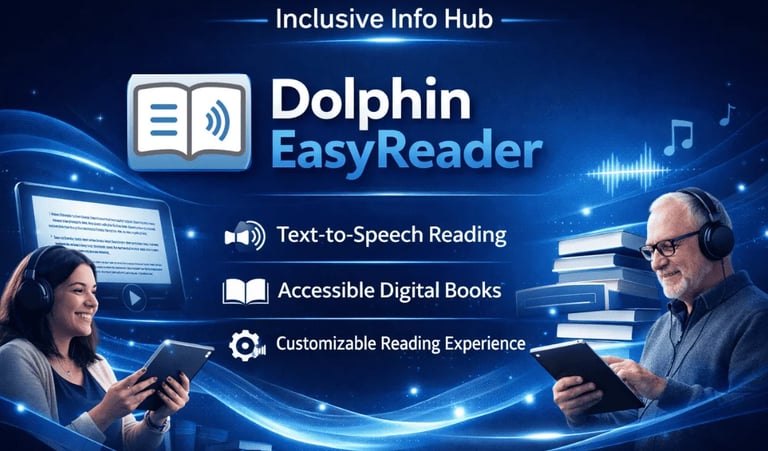
Dolphin Easy Reader is an accessible reading app designed to help individuals who are blind or visually impaired access books, newspapers, magazines, and other reading materials with ease. The app supports audio narration, large text, and customizable display options, making it ideal for learners of all ages. Easy Reader connects to accessible libraries such as Book share, NLS (National Library Service), and others, allowing users to read educational content, textbooks, and leisure reading with confidence.
This review is part of the Accessible Apps Series from Inclusive Info Hub, promoting inclusive technology.
Basic Information
Available on: App Store / Google Play
Price: Free (with optional subscriptions for library services)
Developer: Dolphin Computer Access Ltd., with a specialized international team dedicated to accessible reading solutions for diverse learning and visual needs.
Category: Education / Accessibility / Reading
Languages Supported: English (specific library sources may support additional languages)
Last Updated: Regularly maintained by Dolphin
Key Features
Library Access: Connects to accessible libraries like Book share and NLS for downloadable books and educational reading.
Multi-Format Support: Reads DAISY, EPUB, PDF, and other accessible book formats.
Custom Reading Controls: Adjustable text sizes, fonts, and narration speeds for a personalized reading experience.
Navigation Tools: Easy navigation for chapters, bookmarks, and reading history.
Benefits for Users with Visual Impairment
Dolphin Easy Reader empowers visually impaired learners by providing accessible access to a wide range of reading materials. Whether a student needs textbooks or a reader wants leisure books, Easy Reader’s integration with accessible libraries and its customizable reading tools remove barriers to independent learning. The app makes it easier to study, explore interests, and stay connected to educational content without needing sighted assistance.en
Benefits for Sighted Users
Faster “read later” listening: Turn articles, PDFs, and books into audio so you can learn while commuting, cooking, or exercising.
Better focus: Audio + highlighted text can help you stay engaged and reduce mind-wandering during long reads.
Time-saving study tool: Speed controls and easy navigation (chapters/sections) help you review material quickly.
Improved comprehension: Hearing text aloud can make complex content easier to understand and remember.
Less eye strain: Great for screen-heavy days—rest your eyes while still consuming content.
Multi-format convenience: One app for different reading sources (e.g., ebooks/documents), so your library is in one place.
Pronunciation support: Helpful for learning new vocabulary or reading content with unfamiliar names/terms.
Accessibility Highlights
Screen Reader Friendly: Works well with built-in screen readers like Voice Over (iOS) and Talk Back (Android).
High Contrast & Large Text: Adjustable display options support low vision and dyslexia.
Bookmarking & Navigation: Intuitive tools to jump between chapters, bookmarks, and sections.
Library Integration: Straight access to accessible books and resources designed for blind readers.
Our Review
Dolphin Easy Reader stands out as a powerful and dependable reading app for visually impaired users. Its support for accessible libraries and formats makes it an excellent educational tool for students and lifelong learners alike. The app’s customizable interface and strong accessibility features offer a welcoming reading experience.
Limitations :
Some books require separate library membership or login.
Language support beyond English depends on available library sources.
How to Get It
Conclusion
Dolphin Easy Reader opens up a world of accessible reading for visually impaired users. Its robust support for educational libraries, customizable reading controls, and compatibility with screen readers make it an essential tool for independent learning and personal growth.
FAQ:
1. Who should use Dolphin EasyReader?
Dolphin EasyReader is best suited for people who are blind, have low vision, dyslexia, or other print disabilities. It is especially useful for students, lifelong learners, and readers who rely on audio or large-text formats to access books and educational materials.
2. Can Dolphin EasyReader be used for school or university studies?
Yes. Dolphin EasyReader is widely used by students to read textbooks, academic documents, and educational materials through accessible libraries such as Bookshare and NLS. It supports structured navigation, making it easier to study chapters, headings, and sections.
3. Do I need internet access to read books in Dolphin EasyReader?
Internet access is required to download books from libraries. Once downloaded, many books can be read offline, which is helpful for users with limited or unstable internet connections.




Contact
Reach out for support or questions
inclusiveinfohub@gmail.com
© 2025. All rights reserved.