
Primo Go vs. Microsoft Lens: Which Document Scanner is Best?
Compare Primo Go and Microsoft Lens to find the best mobile scanning app for your needs. Explore key features, OCR accuracy, and pricing in our detailed head-to-head guide. Compare Primo Go and Microsoft Lens to find the best mobile scanning app for your needs. Explore key features, OCR accuracy, and pricing in our detailed head-to-head guide.
Inclusive Info Hub
3/7/2026
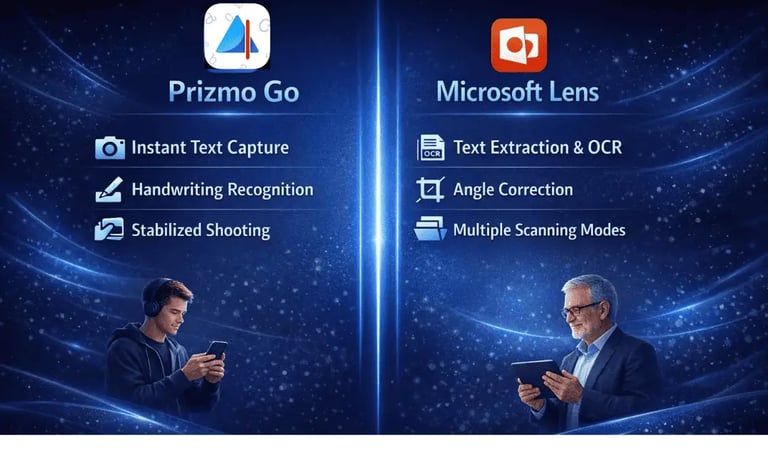
Need a fast way to scan text from the real world using your phone? Whether you’re capturing notes, scanning documents, or converting printed text into editable content, choosing the right OCR app can save you hours of work. In this guide, we’ll compare Prizmo Go and Microsoft Lens so you can quickly decide which tool fits your workflow best.
Mobile OCR (Optical Character Recognition) apps have changed the way we capture information from paper. Instead of typing everything manually, these apps let you scan documents, recognize text from images, and convert it into editable or readable formats. Prizmo Go focuses heavily on accessibility, advanced OCR accuracy, and text-to-speech features for reading captured text aloud. On the other hand, Microsoft Lens is designed for productivity and integrates tightly with Microsoft tools like Word, OneNote, and OneDrive for quick document management.
Both apps can scan printed text, extract information, and improve image clarity, but their approach, features, and ideal users are quite different. Let’s break everything down in a simple comparison.
Want a deeper look at each app? Check out our detailed guides:
➡ Read the full review of Prizmo Go
➡ Explore the complete Microsoft Lens guide
Prizmo Go VS Microsoft Lens
Conclusion:
Choose Prizmo Go if you need advanced OCR accuracy, accessibility features, and text-to-speech for reading scanned text aloud.
Choose Microsoft Lens if you want quick document scanning with seamless integration into Microsoft Office apps and cloud storage.