21 Ways Blind Students Can Use ChatGPT to Study, Write, and Learn Independently in 2026
Discover 21 specific ways blind and visually impaired students can use ChatGPT to study, write essays, prepare for exams, and learn independently in 2026 — with real copy-paste prompts for every situation.
LATEST TECHNOLOGYEDUCATION
Inclusive Info Hub
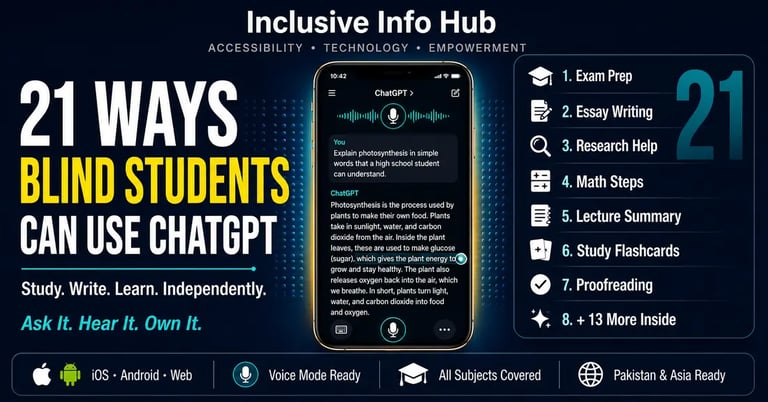
According to the American Foundation for the Blind, blind and visually impaired students consistently report that access to information — not intelligence, not motivation, not effort — is the single greatest barrier in their academic lives. At Inclusive Info Hub, every guide published here is built around one question: does this tool genuinely remove a real barrier, or does it just sound useful in theory.
ChatGPT removes barriers. Specifically, it removes 21 of them — and this article names every one.
If you have never used ChatGPT before and want to understand how to set it up with VoiceOver, TalkBack, JAWS, or a Braille display first, read our complete setup guide before this article. This article assumes you can already access ChatGPT and focuses entirely on what to do with it — with a real, copy-paste-ready prompt for every single use case so you can try each one immediately.
A blind student in Lahore, a visually impaired professional in London, a low-vision university student in Dhaka — every person in this article's audience shares one thing: a brain full of questions and a world that does not always make finding answers easy. ChatGPT does not fix the world. But it answers the questions. Every time. At any hour. For free.
Here are 21 specific ways to make that happen.
Before You Start: How to Use the Prompts in This Article
Every use case below includes a ready-to-use prompt — the exact words you can say or type to ChatGPT to get the result described. When using voice mode, speak these prompts naturally. When typing, paste them directly into the message field. Customize the words in brackets to match your specific subject, topic, or document.
SECTION 1: STUDYING AND EXAM PREPARATION
Way 1: Turn Any Topic Into an Instant Explanation
The barrier it removes: A blind student receives a lecture on a complex topic — monetary policy, cell division, the French Revolution — presented partly through visual slides they cannot access. The spoken explanation alone left gaps.
How ChatGPT helps: Ask for a plain-language explanation of any concept on demand, at any time, at exactly the level of detail you need. No waiting for office hours. No depending on a classmate's notes.
Copy this prompt:
"Explain [monetary policy] to me as if I have never studied it before. Use simple language, give me a real-world example, and keep it under 200 words."
Follow-up prompt when you need more:
"That was good. Now explain it one level deeper — I understand the basics but I want to understand [how interest rates affect inflation] specifically."
Way 2: Generate Practice Exam Questions on Any Topic
The barrier it removes: Accessible past papers and practice question banks are rarely available in audio or screen-reader-friendly formats. A blind student preparing for exams often has no way to test themselves independently without sighted assistance.
How ChatGPT helps: Generate unlimited practice questions on any subject, at any difficulty level, in any exam format — multiple choice, short answer, essay questions — instantly.
Copy this prompt:
"Give me 10 practice exam questions on [the causes of World War One] at undergraduate level. Mix multiple choice and short answer questions. After I answer each one, tell me if I am right and explain why."
Follow-up prompt:
"I got question 4 wrong. Explain the correct answer to me step by step."
Way 3: Create a Complete Study Plan for Any Subject
The barrier it removes: Organizing study material across multiple subjects and deadlines is challenging when the textbooks, notes, and course outlines are not all in accessible formats. Building a structured study plan takes time a blind student often spends instead on accessing the material itself.
How ChatGPT helps: Give ChatGPT your exam date, your subjects, and how many hours per day you can study — and it builds a structured, day-by-day study plan you can follow through audio.
Copy this prompt:
"My final exam in [Economics] is in [3 weeks]. The main topics are [supply and demand, market structures, monetary policy, inflation, and GDP]. I can study for [2 hours] per day. Create a day-by-day study plan for me that covers all topics and includes time for revision before the exam."
Way 4: Build Flashcards From Any Text
The barrier it removes: Traditional flashcards are visual. Digital flashcard apps often have accessibility challenges. A blind student reviewing vocabulary, definitions, or key concepts needs a format that works through audio.
How ChatGPT helps: Paste any text — a chapter summary, a set of notes, a topic outline — and ask ChatGPT to generate question-and-answer flashcard pairs you can then quiz yourself on verbally.
Copy this prompt:
"Here is my lecture summary on [the nervous system]: [paste text]. Create 15 flashcard-style question and answer pairs from this content. Then quiz me one question at a time and wait for my answer before moving to the next."
Way 5: Summarize Long Reading Material
The barrier it removes: A forty-page research paper read through a TTS app at 1.5x speed takes significant time and concentration. Processing dense academic language through audio is cognitively demanding in a way that sighted skimming is not.
How ChatGPT helps: Paste the text of any article, chapter, or document and ask for a structured summary that captures the key argument, methodology, and conclusions — so a blind student can orient themselves to the material before deciding how much of the full text to read in detail.
Copy this prompt:
"Here is the text of a research paper: [paste text]. Give me: 1) the main argument in one sentence, 2) the key evidence or findings in three bullet points, 3) the conclusion in two sentences, and 4) three vocabulary words from this paper I should understand."
Way 6: Explain Charts, Tables, and Data Verbally
The barrier it removes: Academic materials are full of charts, graphs, tables, and diagrams that carry significant informational content and are completely inaccessible to screen readers when embedded as images with no alt text.
How ChatGPT helps: If you can access the data underlying the chart — numbers from a table, figures from a report — paste them into ChatGPT and ask for a verbal interpretation of what the data shows.
Copy this prompt:
"Here is data from a table in my economics textbook: [paste the numbers and their labels]. Explain what this data shows in plain language, identify the most important trend, and tell me what conclusion a student should draw from it."
For GPT-4o Plus subscribers: Upload a screenshot or photo of the chart directly and ask:
"Describe this chart in detail. What type of chart is it, what does each axis represent, what is the trend, and what is the main conclusion?"
Way 7: Understand Mathematical Problems Step by Step
The barrier it removes: Mathematics instruction in a classroom relies heavily on visual representation — equations written on a board, graphs drawn in real time, geometric figures shown on a projector. A blind student following along verbally may miss the visual logic that makes the steps clear.
How ChatGPT helps: Type or dictate any mathematical problem and ask ChatGPT to solve it step by step in plain language, explaining the reasoning at each stage.
Copy this prompt:
"Solve this problem step by step and explain your reasoning at each step in plain language, as if explaining to someone who cannot see a whiteboard: [paste the problem]. After solving it, give me a similar practice problem to try myself."
Way 8: Prepare for Oral Exams and Presentations
The barrier it removes: Oral exams and presentations require a student to speak fluently and confidently about complex topics. A blind student who cannot review visual notes or slides during the presentation needs to have their material internalized more thoroughly than sighted peers who can glance at bullet points.
How ChatGPT helps: Practice by asking ChatGPT to act as an examiner and conduct a mock oral exam or ask presentation-style questions, giving feedback on the completeness and clarity of your answers.
Copy this prompt:
"Act as a university examiner for [developmental psychology]. Ask me one oral exam question at a time. After each answer I give, tell me what I got right, what I missed, and what a complete answer would include. Start with your first question."
SECTION 2: WRITING AND ACADEMIC WORK
Way 9: Build an Essay Structure From Your Ideas
The barrier it removes: Organizing an essay visually — moving sections around, seeing the structure at a glance — is something sighted students do naturally by looking at a document. A blind student navigating a word processor through screen reader linear reading cannot see the whole structure at once.
How ChatGPT helps: Speak or type your ideas in any order and ask ChatGPT to organize them into a logical essay structure with an introduction, body paragraphs, and conclusion — before any writing begins.
Copy this prompt:
"I need to write a [1500-word] essay on [the impact of social media on mental health among teenagers]. Here are my main ideas in no particular order: [list your points]. Organize these into a logical essay structure with an introduction, three body paragraphs, and a conclusion. For each section, tell me what argument to make and what evidence to include."
Way 10: Improve Any Piece of Writing by Voice
The barrier it removes: A blind student who has written an essay through voice dictation may produce text that is grammatically correct in isolation but structurally weak — ideas that repeat, transitions that are missing, arguments that need strengthening — which is difficult to detect through linear screen reader reading.
How ChatGPT helps: Paste any written work and ask for specific feedback on structure, argument, grammar, and clarity — receiving the kind of editorial feedback a sighted peer reviewer would give, entirely through audio.
Copy this prompt:
"Here is my essay draft: [paste text]. Please give me feedback on: 1) the strength of my argument, 2) any unclear or repeated sentences, 3) the quality of my transitions between paragraphs, 4) any grammar errors. Then give me a revised version of my weakest paragraph."
Way 11: Write Emails and Formal Letters
The barrier it removes: Professional emails and formal letters require specific tones, structures, and language conventions that are not always intuitive — and getting the tone wrong in a message to a professor, disability services office, or employer can have real consequences.
How ChatGPT helps: Describe the email you need to send and ask ChatGPT to draft it in the appropriate tone. A blind student can then have the draft read aloud, approve it, and send it — the entire process completed without reading a screen.
Copy this prompt:
"Write a formal email to my university's disability services office. I need to request an extension on my assignment because [my accessible textbook was not delivered on time]. The tone should be polite and professional. Include a greeting, clear explanation of the situation, specific request, and formal closing."
Way 12: Generate References and Citation Guidance
The barrier it removes: Citation formatting — APA, Harvard, Chicago, MLA — is visually fiddly work involving precise punctuation, italics, and ordering that is difficult to check through screen reader navigation of a reference list.
How ChatGPT helps: Provide the details of any source and ask ChatGPT to format the reference correctly in the required citation style — saving the blind student the effort of visually navigating citation guides.
Copy this prompt:
"Format this reference in [APA 7th edition] style: Author name is [John Smith], the book title is [The Psychology of Learning], published in [2022] by [Cambridge University Press] in [London]. Then explain the rule for how to cite a website in APA format."
Way 13: Translate Academic Content Into Simpler Language
The barrier it removes: For blind students in Pakistan and across South Asia studying in English-medium institutions where English is not their first language, the combination of processing audio through a TTS app and simultaneously understanding academic English creates a double cognitive load that sighted students whose first language is English never experience.
How ChatGPT helps: Ask ChatGPT to rewrite any passage of academic text in simpler English, or to explain the same concept first in English and then in Urdu, Hindi, or another language.
Copy this prompt:
"Rewrite this paragraph in much simpler English that a student whose first language is not English can easily understand: [paste paragraph]. Then explain the main idea of the paragraph in [Urdu]."
Way 14: Proofread by Having Errors Read Out Loud
The barrier it removes: Standard spell-check and grammar tools are built around visual highlighting — underlining errors in red or green, which is meaningless to a screen reader that reads the word itself rather than its formatting.
How ChatGPT helps: Ask ChatGPT to read through your text and list every error verbally — by sentence number, by error type, and with the corrected version stated explicitly — so the blind student can hear each mistake and its fix without needing to see any visual markup.
Copy this prompt:
"Proofread this text and list every error you find. For each error, tell me: the sentence number it appears in, what the error is, and the corrected version. Only list errors — do not rewrite the whole text: [paste your text]."
SECTION 3: RESEARCH AND INFORMATION ACCESS
Way 15: Get Instant Subject Explanations for Any Curriculum
The barrier it removes: A blind student who misses the visual demonstration of a chemistry experiment, a geography map reference, or a biology diagram has gaps in their subject knowledge that no audio-only lecture recording can fully fill.
How ChatGPT helps: Ask for verbal descriptions of any visual or demonstration-based concept at whatever level of detail is needed — from basic introduction to expert-level depth.
Copy this prompt:
"Describe [the process of photosynthesis] to me as if I cannot see a diagram. Explain the inputs, the stages, and the outputs in order. Then tell me what a diagram of this process would typically show, described verbally."
Way 16: Research Any Topic Through Conversation
The barrier it removes: Web research for a blind student involves navigating multiple inaccessible websites, poorly formatted pages, and information buried under navigation elements that screen readers read before reaching the actual content. Finding and synthesizing information from five sources takes far longer than for sighted users.
How ChatGPT helps: Ask ChatGPT to summarize the current state of knowledge on any research topic — saving the time of navigating multiple poorly accessible websites — and then ask follow-up questions to go deeper on specific angles.
Copy this prompt:
"I am researching [the impact of climate change on agriculture in South Asia] for a university assignment. Give me: 1) an overview of the main issues, 2) three key findings from recent research, 3) two different perspectives scholars hold on this topic, 4) three specific questions I could explore further in my own research."
Way 17: Get Study Help in Any Language
The barrier it removes: A blind student from Pakistan whose conceptual understanding is strongest in Urdu should not be forced to process all academic content exclusively through English simply because accessible materials in Urdu are unavailable.
How ChatGPT helps: Ask for explanations, summaries, practice questions, and writing feedback in Urdu, Hindi, Bengali, Arabic, or any of the dozens of languages ChatGPT supports — removing the language barrier from the accessibility barrier.
Copy this prompt:
"میں [معاشیات] کا طالب علم ہوں۔ مجھے [طلب اور رسد کے قانون] کو آسان اردو میں سمجھائیں اور پھر مجھ سے اس موضوع پر تین سوال کریں۔"
(Translation: "I am a student of Economics. Explain the law of supply and demand to me in simple Urdu and then ask me three questions on this topic.")
Way 18: Understand Legal and Official Documents
The barrier it removes: Government letters, university policy documents, financial aid paperwork, and disability accommodation forms are written in dense formal language that is difficult for anyone to parse — and when received as printed mail or inaccessible PDFs, a blind student faces the barrier of format before even reaching the barrier of language.
How ChatGPT helps: Once a document's text has been captured through an OCR tool like Seeing AI or Google Lookout and read aloud, key sections can be pasted into ChatGPT and asked about directly.
Copy this prompt:
"Here is the text of an official letter I received: [paste text]. Explain to me in plain language: 1) what this letter is telling me to do, 2) whether there is a deadline I need to know about, 3) what will happen if I do not respond, and 4) what I should do next."
SECTION 4: DAILY LEARNING AND INDEPENDENCE
Way 19: Learn Any New Skill Through Audio Instruction
The barrier it removes: Tutorial videos, how-to guides with screenshots, and visual demonstrations are the dominant format for skill-learning online — and are largely inaccessible to blind users who need verbal, step-by-step instruction.
How ChatGPT helps: Ask for step-by-step verbal instructions for any skill — cooking a dish, setting up a piece of software, learning a keyboard shortcut, understanding a financial concept — delivered in the sequential format that works for audio processing.
Copy this prompt:
"Teach me how to [set up a Google Drive folder and share it with another person] using only verbal instructions, step by step. Assume I am using [an iPhone with VoiceOver]. Number each step and tell me what I should hear or feel at each stage to know I have done it correctly."
Way 20: Process and Respond to Emails by Voice
The barrier it removes: Managing an email inbox through a screen reader is possible but slow — navigating headers, reading thread context, formulating responses — and the combined time cost of reading and responding to emails can take a blind student significantly longer than a sighted peer.
How ChatGPT helps: Read the text of any received email to ChatGPT by voice, ask for a summary of what it is asking, and then ask for a draft reply — the entire inbox management workflow accelerated significantly.
Copy this prompt:
"I just received this email from my professor: [paste or dictate email text]. Summarize what they are asking me in one sentence. Then draft a polite, professional reply that [confirms I will submit the assignment by Friday and thanks them for the feedback on my draft]."
Way 21: Build Confidence Before High-Stakes Situations
The barrier it removes: Job interviews, university admission interviews, scholarship application panels, and disability accommodation review meetings are high-stakes verbal situations where preparation makes a measurable difference — and where a blind student may have had fewer opportunities for practice in accessible formats.
How ChatGPT helps: Ask ChatGPT to conduct a realistic mock interview for any specific situation — asking the questions a real panel would ask, giving feedback on answers, and suggesting stronger responses — entirely through audio conversation.
Copy this prompt:
"Act as an interviewer for [a university scholarship panel for a blind student applying to study computer science]. Ask me one interview question at a time. After each answer, give me honest feedback on what I said well and what I should improve. Then ask the next question. Start with the first question now."
A Reference Card: All 21 Prompts at a Glance
Here is every prompt in one place for easy reference. Bookmark this section — or ask ChatGPT to read it all back to you at once so you can save the audio.
Plain-language topic explanation with real-world example
Practice exam questions with interactive marking
Day-by-day study plan from exam date
Flashcard quiz from pasted notes
Structured summary of research paper
Verbal interpretation of data from a table
Step-by-step mathematical problem solving
Mock oral exam with examiner feedback
Essay structure from unorganized ideas
Essay improvement feedback and paragraph revision
Formal email or letter drafting
Reference and citation formatting
Academic text simplified or translated into Urdu or another language
Error-by-error verbal proofreading
Verbal description of visual or diagram-based concepts
Conversational research synthesis on any topic
Study help delivered in Urdu, Hindi, Bengali, or Arabic
Plain-language explanation of official documents
Step-by-step skill learning for screen reader users
Email summary and reply drafting by voice
Mock interview preparation with live feedback
Honest Reminders Before You Start
ChatGPT can be wrong. It is a language model, not a textbook. For factual claims that matter — statistics, historical dates, legal requirements, medical information — always verify through a second source. Ask ChatGPT "are you confident about this?" after any important factual response and treat hesitation as a signal to double-check.
Use it to understand, not to replace understanding. The 21 prompts above are designed to help you learn and process information more effectively — not to produce work you submit as your own without engaging with the content. A student who uses ChatGPT to generate answers without thinking about them will fail the exam where ChatGPT is not available. A student who uses it to understand the material more deeply will succeed.
The free tier covers most of what is listed here. The one exception is Way 6's image upload for chart description, which requires GPT-4o in the paid ChatGPT Plus tier at $20 per month. Every other prompt in this article works on the completely free version.
Frequently Asked Questions
Can I use these prompts with voice mode so I do not have to type them? Yes. In voice mode on the ChatGPT app, speak any of these prompts naturally and ChatGPT will respond in spoken audio. You do not need to type anything — the entire interaction can be hands-free and screen-free through voice mode on iPhone or Android.
Do these prompts work in languages other than English? Yes. ChatGPT supports over 50 languages. You can speak or type any of these prompts in Urdu, Hindi, Bengali, Arabic, or your preferred language and receive responses in the same language. Way 17 specifically covers this use case with an Urdu example prompt.
Is ChatGPT free for blind students in Pakistan? The free tier at chat.openai.com and through the iOS and Android apps is fully functional and available globally including Pakistan with no payment required. The free tier covers 20 of the 21 use cases listed in this article.
How do I access ChatGPT with TalkBack on Android or VoiceOver on iPhone? Our complete setup guide covers every screen reader and access method step by step. 👉 Read our "ChatGPT Without Eyes" complete setup guide → [INSERT CHATGPT WITHOUT EYES ARTICLE LINK]
Can I save these prompts somewhere accessible? Yes — ask ChatGPT itself to save them for you in a format you can hear later. Say: "Read back all 21 prompt templates from this conversation so I can memorize or record them." Or paste this article's prompt list into a Voice Dream Reader document for audio playback anytime.
What This Means for Blind Students in Pakistan and Across Asia
Whether you are a blind student at LUMS in Lahore studying business, a visually impaired student at IBA in Karachi preparing for exams, a student in Dhaka writing a dissertation, or a low-vision learner anywhere across South and Southeast Asia navigating an education system that was not designed with your needs in mind — every single one of these 21 use cases is available to you right now, on the Android phone or iPhone in your pocket, for free.
The access gap that has historically separated blind students from their sighted peers is not primarily about intelligence or effort. It is about information — the time and difficulty required to access the same information in a usable format. ChatGPT, used with the specific prompts in this guide, closes that gap for 21 specific academic tasks that previously required either sighted assistance, specialized accessible materials, or simply going without.
That is not nothing. For a blind student in Islamabad at eleven o'clock the night before an exam, it might be everything.
A Closing Thought
A blind student does not need less from education. They need the same thing every student needs — clear explanations, honest feedback, unlimited practice opportunities, and a tool that is patient enough to explain the same concept six different ways until it clicks.
ChatGPT is not a replacement for a teacher, a textbook, or a school that genuinely includes its blind students. But it is available at midnight. It never sighs when asked to explain something again. It does not assume a blind student needs a simpler version of the material. And it gives every student with a phone and an internet connection access to the kind of on-demand, patient, personalized academic support that used to be available only to students whose families could afford private tutors.
Twenty-one ways. One tool. Free. Starting today.
Read More on Inclusive Info Hub
👉 "ChatGPT Without Eyes" — the complete setup guide for VoiceOver, TalkBack, JAWS, and Braille displays: Read here → [CHATGPT WITHOUT EYES ARTICLE LINK]
👉 Otter.ai — AI transcription turning spoken lectures into searchable text for blind and deaf students: Read our full review here → [OTTER.AI ARTICLE LINK]
👉 Seeing AI vs Be My Eyes — AI visual assistance for reading the world around you: Read our full comparison here → [SEEING AI VS BE MY EYES ARTICLE LINK]
👉 Voice Dream Reader — the best TTS app for reading PDFs and documents aloud: Read our full review here → [VOICE DREAM READER ARTICLE LINK]
👉 Best AI Accessibility Tools in 2026 — complete guide to every AI tool blind students should know: Read our full guide here → [BEST AI ACCESSIBILITY TOOLS ARTICLE LINK]