10 Best Apps for Deaf and Hard of Hearing Users in 2026: Real Tools for Real Independence
Discover the 10 best apps for deaf and hard of hearing users in 2026 — from live captions and phone call transcription to sign language learning and sound alerts. Free and paid options for students and professionals in Pakistan, Asia, the US, and UK.
APPS FOR HI SUPPORTEDUCATION
Inclusive Info Hub
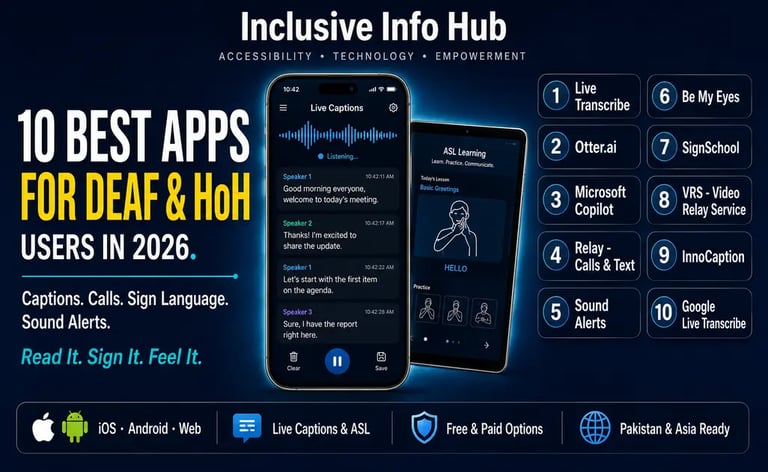
According to the World Health Organization, over 1.5 billion people worldwide live with some degree of hearing loss — and by 2050 that number is projected to rise to 2.5 billion. Among them are students sitting in lectures where every word matters, professionals in meetings where missing a sentence has consequences, and individuals navigating daily life in a world built almost entirely around the assumption that communication happens through sound. At Inclusive Info Hub, every app reviewed in this guide has been selected against one honest standard: does it genuinely help a deaf or hard of hearing person communicate, understand, and participate — independently, on the device they already own.
A deaf student in Lahore attending a Zoom lecture. A hard of hearing professional in London on a phone call with a client. A hearing-impaired parent in Karachi trying to know when their child is crying in another room. A deaf teenager in Dhaka who wants to learn sign language because their family does not know it. Every one of these people has a different need — and every one of those needs has an app in this list built specifically for it.
This is your starting point. Each app in this guide will receive its own full, dedicated review on Inclusive Info Hub. This article gives you the complete picture so you can find what you need immediately, then click through to the detailed review for the app that fits your situation best.
How This Guide Is Organized
Rather than listing ten apps randomly, this guide organizes them by the specific daily barrier each one removes. Deaf and hard of hearing users do not have one problem — they have five distinct communication challenges, each requiring a different tool.
Live transcription — understanding speech in real time in lectures, meetings, and conversations Phone call access — making and receiving phone calls without missing what is being said Sound awareness — knowing what sounds are happening in the environment Sign language — learning, using, and sharing sign language with hearing people Face-to-face communication — quick, immediate communication with hearing people in person
One app for each situation is not enough. The most independence comes from understanding which tool serves which situation — and having two or three of the right ones ready.
CATEGORY 1: LIVE TRANSCRIPTION APPS
1. Otter.ai — The AI Transcription Powerhouse for Students and Professionals
Platform: iOS + Android + Web | Price: Free plan (300 minutes/month); Pro $8.33/month annually | Store name: "Otter: Transcribe Voice Notes" on both stores
Otter.ai provides transcription tools for meeting notes and workplace documentation. For deaf and hard of hearing students, Otter.ai's most significant capability is its real-time speaker-identified transcription every word spoken in a lecture or meeting appears on screen within seconds, labeled by who said it, searchable afterward, and summarized by AI at the session's end.
The OtterPilot feature joins Zoom, Microsoft Teams, and Google Meet calls automatically to transcribe and summarize meaning a deaf student does not need to be physically present with their phone on the desk. The AI summary generated after every session condenses a ninety-minute lecture into the key points, which is a meaningful study aid alongside the full transcript.
For students in Pakistan and across South Asia attending Zoom-based university lectures — now a permanent feature of higher education in many institutions; Otter.ai's integration with video conferencing platforms makes it one of the highest-impact tools in this entire list.
👉 We have written a full in-depth review of Otter.ai on Inclusive Info Hub. Read our complete Otter.ai review here → [OTTER.AI ARTICLE LINK]
2. Google Live Transcribe — Free Real-Time Captions for Face-to-Face Conversations
Platform: Android only | Price: Completely free | Store name: "Live Transcribe & Notification" on Google Play
Google Live Transcribe provides real-time speech-to-text captions and sound alerts for everyday communication and awareness. Live Transcribe supports real-time transcription in more than 120 languages and dialects and can be useful during conversations, classes, meetings, appointments, restaurants, and other everyday situations.
The fundamental use case is elegantly simple. A hearing person speaks. The words appear on the Android screen in real time. A deaf user reads them. No subscription. No account. No limit on usage. For a deaf student sitting across from a professor during office hours, or a hard of hearing professional asking a question at a reception desk, this single free app removes one of the most frequent and frustrating daily barriers without costing anything at all.
Live Transcribe turns spoken conversation into fairly accurate written captions in real-time and supports more than 70 languages. Unique features include the ability to add your own frequently used words, such as names and household items. You can also use it to set your smartphone to vibrate when someone says your name.
The name-detection vibration where the phone buzzes when a specific word or name is spoken near the microphone is a small feature with real practical significance. A deaf student who cannot hear their name called in a waiting room, a classroom, or a public space now has a tactile alert that does not depend on anyone tapping them on the shoulder.
The Android-only limitation is significant for this guide's audience, where iOS users will need to rely on Live Captions the iOS equivalent built into iPhones running iOS 16 and above — or Ava for cross-platform face-to-face captioning.
👉 We have written a full in-depth review of Google Live Transcribe on Inclusive Info Hub. Read our complete Google Live Transcribe review here → [Google Live Transcribe]
3. Ava — Live Group Conversation Captions With 99% Accuracy
Platform: iOS + Android | Price: Free (limited sessions); paid plans available | Store name: "Ava: Live Captions & Transcripts" on both stores
Ava is an ADA-compliant accessibility service that delivers fast and accurate live captions and other services including transcription and ASL interpretation for Deaf and hard-of-hearing people. Ava is powered by both AI and human scribes for the fastest, most accurate captions available, delivering 99% accuracy to fully understand conversations.
What distinguishes Ava from Google Live Transcribe and most other captioning apps is its group conversation capability. When multiple people are speaking; a classroom discussion, a team meeting, a family gathering. Ava identifies each speaker separately and labels their words individually in the transcript. A deaf user can follow not just what is being said but who is saying it, which transforms group conversation participation from an exercise in guessing to actual comprehension.
Ava Closed Captions are also available for Mac and Windows and will display captions on top of a video call, shared screen, or presentation, so you can follow comfortably at work and in digital settings.
The Ava Scribe tier which pairs AI with human scribes for the most accuracy-critical situations — is the tool that organizations and institutions turn to when legal compliance or high-stakes communication is involved. For a deaf student attending a medical school lecture, a law class, or a formal academic presentation, the human-verified accuracy of Ava Scribe provides a reliability level that AI-only captioning cannot yet guarantee.
👉 We have written a full in-depth review of AVA on Inclusive Info Hub. Read our complete AVA review here → [AVA]
CATEGORY 2: PHONE CALL ACCESS APPS
4. Nagish — Free Captioned Phone Calls Without Changing Your Number (Now called as Rylo)
Platform: iOS + Android | Price: Free | Store name: "Nagish — Captioned Phone Calls" on both stores
Nagish offers free real-time captioning for phone calls using AI-powered speech-to-text and text-to-speech, so one side of a call can type and read, while the other side can speak and listen naturally. Conversations stay 100% private, and users can also keep their current phone number. Nagish is FCC certified, making it an approved captioned calling solution for eligible users.
The phone call is the most persistent communication barrier for deaf and hard of hearing users — and Nagish addresses it in the most friction-free way currently available. A deaf user makes or receives a call exactly as they would normally, using their existing phone number. The spoken words of the other person appear as captions on screen in real time. If the deaf user wants to respond in text rather than voice, Nagish reads their typed message aloud to the hearing caller through a text-to-speech voice.
Nagish created a library of bite-size video tutorials for all its features available in ASL or spoken, proving to be helpful and committed to a community-first approach.
The ASL video tutorials — created specifically for the deaf community in sign language rather than assuming all users can access spoken video instructions — reflect a community-centered design philosophy that is genuinely rare in mainstream technology products.
For deaf and hard of hearing students in Pakistan and across South Asia where phone calls remain the dominant mode of communication for administrative and professional interactions, Nagish's free, number-preserving captioned calling is one of the highest-impact tools in this entire guide.
👉 We have written a full in-depth review of Nagish on Inclusive Info Hub. Read our complete review here → [Nagish]
5. RogerVoice — Phone Call Captions With Type-to-Speak Functionality
Platform: iOS + Android | Price: Paid subscription | Store name: "RogerVoice" on both stores
RogerVoice is a speech-to-text app for the deaf that can turn spoken words into written text right away. When someone talks to you, you can see their words on your screen. You can respond by speaking or typing. If you type during a call, a voice machine will read your message to the other person. Over 80 languages are supported for international calls.
RogerVoice goes one step further than basic phone call captioning by including type-to-speak — a deaf user types their response and a voice machine reads it aloud to the hearing caller. This creates a fully accessible two-way phone conversation where neither party needs to know the other's communication method in advance.
The 80-language support for international calls is particularly relevant for deaf users in Pakistan and across South Asia who make frequent calls to family, institutions, or businesses where the language of the conversation may not be English.
The paid subscription model is RogerVoice's clearest limitation for users in lower-income markets. For users where cost is a primary concern, Nagish's free tier covers the core phone call captioning need without the subscription requirement.
👉 We have written a full in-depth review of Roger Voice on Inclusive Info Hub. Read our complete review here → [Roger Voice]
CATEGORY 3: SOUND AWARENESS APPS
6. Google Sound Notifications — Real-Time Sound Alerts for Deaf Users
Platform: Android only | Price: Free | Store name: Part of "Live Transcribe & Notification" on Google Play
Google Sound Notifications is a companion feature built into the Live Transcribe and Notification app that alerts deaf and hard of hearing users to important environmental sounds — a doorbell, a fire alarm, a baby crying, a knock at the door — through visual and vibration alerts.
A deaf or hard of hearing user cannot rely on hearing environmental sounds that carry critical safety or social information — a smoke alarm, a car horn, a doorbell, a baby crying in another room. Sound Notifications uses the Android phone's microphone to continuously monitor ambient audio and sends an immediate visual notification and vibration alert when a recognized sound is detected.
The completely free nature of this tool — built into an app that is already on most Android devices — means that one of the most important safety tools for deaf users requires no purchase, no subscription, and no setup beyond a toggle switch.
Both Live Transcribe and Live Caption can detect non-speech sounds like laughter, clapping, music, and alarms.
For a deaf student in university accommodation, a deaf parent at home, or a hard of hearing professional in an open-plan office, Sound Notifications provides a safety and social awareness layer that hearing people take entirely for granted and deaf users have historically had to manage through expensive dedicated hardware.
👉 We have written a full in-depth review of Google Sound Notification on Inclusive Info Hub. Read our complete review here → [Google Sound Notification]
7. Microsoft Translator — Live Translation and Group Conversation Access
Platform: iOS + Android | Price: Free | Store name: "Microsoft Translator" on both stores
Microsoft Translator allows users to communicate with someone who uses a different language. The app translates not just speech, but also text, images, and group conversations in over 100 languages. It will translate menus or road signs in a foreign language in addition to speech.
Microsoft Translator's most relevant feature for deaf and hard of hearing users is its live multi-person conversation mode — where multiple people can join the same translation session from their own devices, with each person's speech captioned and translated in real time for all participants. A deaf user can follow a group conversation in their language even if several other participants are speaking different languages simultaneously.
For international students in Pakistan studying alongside peers from different countries, for deaf professionals in multinational workplaces, or for deaf users traveling through countries where their language is not spoken, this combined translation and captioning capability addresses a situation no other app in this list specifically covers.
The free tier is fully functional for most daily use cases with no subscription required — making it one of the strongest free tools in this guide for users across Pakistan and South Asia.
👉 We have written a full in-depth review of Microsoft Translator on Inclusive Info Hub. Read our complete review here → [Microsoft Translator]
CATEGORY 4: SIGN LANGUAGE APPS
8. Lingvano — ASL and BSL Learning From Deaf Teachers
Platform: iOS + Android | Price: Free basic; paid subscription for full access | Store name: "Lingvano: Sign Language ASL" on both stores
Lingvano is a sign language learning app for ASL and BSL. It is an engaging platform designed specifically to help beginners learn conversational British Sign Language and American Sign Language effectively and enjoyably. The app features video lessons created by Deaf teachers and focuses on helping users build communication skills through short, structured lessons. The app incorporates interactive quizzes and a video dictionary to reinforce understanding and retention of signs.
Lingvano serves two distinct audiences whose needs are equally important: deaf and hard of hearing users who want to expand or formalize their sign language skills, and hearing family members, friends, teachers, and colleagues who want to learn sign language to communicate with the deaf people in their lives.
The video lessons created by Deaf teachers — not hearing instructors demonstrating sign language, but native signers teaching from their own lived experience — is a quality signal that matters for anyone serious about learning a language rather than just memorizing a few gestures.
600+ interactive lessons teach vocabulary and sign language grammar through bite-sized lessons designed for beginners, with real-world signing demonstrations and conversational dialogue.
For families in Pakistan and across South Asia where a deaf child or family member may be the first person in their household to have contact with sign language, Lingvano provides an accessible starting point that hearing family members can use to bridge a communication gap that often leaves deaf family members isolated within their own homes.
👉 We have written a full in-depth review of Lingvano on Inclusive Info Hub. Read our complete review here → [Lingvano]
CATEGORY 5: FACE-TO-FACE COMMUNICATION APPS
9. Cardzilla — Large Text Communication for Immediate Face-to-Face Situations
Platform: iOS + Android | Price: Free | Store name: "Cardzilla" on both stores
Cardzilla lets you easily convert messages into large text. No scrolling needed — your words resize automatically to fill the screen as you type. The app also saves your messages, and you can clear them with a simple shake. Navigation is easy with quick swipes.
Cardzilla is the least technically sophisticated app on this list and simultaneously one of the most immediately useful. The entire premise is a single screen that makes text as large as possible so that it can be read from a distance — the digital equivalent of holding up a sign, but faster and more flexible.
The use cases are precise and practical. A deaf user at a pharmacy counter who needs to show the pharmacist a question. A hard of hearing patient in a hospital who needs to communicate quickly with a nurse. A deaf student who needs to clarify something with a lecturer after class without relying on an interpreter being present. In every one of these situations, the speed and visibility of large-screen text communication is more practical than typing into a chat app and handing the phone across.
The shake-to-clear gesture — which wipes the screen immediately for the next message — is a small design detail that reflects genuine understanding of the pace of real in-person conversation.
For deaf users in Pakistan and across South Asia where situations requiring quick, immediate communication with non-signing hearing people arise constantly in shops, offices, transport, and public services, Cardzilla's zero-cost, zero-setup immediacy makes it the most frictionless communication tool in this entire list.
👉 We have written a full in-depth review of Cardzilla on Inclusive Info Hub. Read our complete review here → [Cardzilla]
10. Marco Polo — Video Messaging for Sign Language Users
Platform: iOS + Android | Price: Free; Marco Polo Plus subscription available | Store name: "Marco Polo — Video Messenger" on both stores
Marco Polo is a video messenger app so Deaf people using sign language can quickly leave short video messages without having to schedule a live call. It combines the convenience of text and voice messages with the expressiveness of video that captures every gesture and facial expression.
For deaf users who communicate primarily through sign language, text messaging is not a natural equivalent to voice messaging — it removes the visual, gestural, and facial expression components that carry meaning in signed languages the same way tone and inflection carry meaning in spoken ones. Marco Polo solves this by making short video messages as easy to send as an audio voice note.
A deaf student can sign a question to a classmate and receive a signed response hours later. A deaf parent can send a signed message to a deaf child at school. A hard of hearing user can send a video message where facial expression and lip patterns supplement audio for the recipient. The asynchronous nature — no need to be available at the same time — removes the scheduling burden that makes live video calls impractical for quick, daily communication.
For deaf communities in Pakistan, South Asia, and globally where geographic distance means family members are rarely in the same city, Marco Polo's video messaging model provides a communication channel that honors how deaf people actually communicate rather than forcing them into text-only alternatives.
👉 We have written a full in-depth review of MArco Polo on Inclusive Info Hub. Read our complete review here → [Marco Polo]
How to Choose: Match Your Barrier to the Right App
If your biggest challenge is following lectures or meetings: Start with Otter.ai for online meetings and Zoom, and Google Live Transcribe (Android) or Ava (iOS and Android) for in-person situations.
If phone calls are your biggest barrier: Download Nagish first — it is free, keeps your existing number, and works immediately.
If you need to know what sounds are happening around you: Enable Google Sound Notifications through the Live Transcribe and Notification app on Android. It is already free on your phone.
If you want to learn or improve your sign language: Lingvano is the strongest structured learning app for both ASL and BSL with Deaf teachers leading the lessons.
If you need to communicate quickly with hearing people who do not know sign language: Cardzilla is the fastest, simplest solution — type and show. No explanation required.
If you want to send sign language messages to deaf friends and family: Marco Polo's asynchronous video messaging model is built for exactly this.
If you are a student in Pakistan on Android with no budget: Google Live Transcribe, Google Sound Notifications, Cardzilla, Microsoft Translator, and Marco Polo are all completely free and fully functional on Android — a five-app toolkit that costs nothing.
What Is Missing From This List — And Why
This guide covers apps only — no hardware. Dedicated captioning devices, FM loop systems, alerting hardware, cochlear implant accessories, and hearing aid Bluetooth accessories fall outside the scope of this article. Each of those hardware categories deserves dedicated coverage separately.
Apps for video relay services — which connect deaf sign language users to live interpreters for phone calls — are also not covered here because their availability varies significantly by country and by regulatory framework. In the United States, federally funded VRS services like Sorenson ntouch are available at no cost to qualifying users. Equivalent services do not exist in Pakistan and most of South Asia yet, which is why this guide prioritizes app-based solutions that work across all markets without regulatory or geographic restrictions.
Frequently Asked Questions
What is the best free captioning app for deaf students? Google Live Transcribe is the best completely free real-time captioning app for Android users, supporting 120+ languages with no usage limits. For iOS users, Live Captions is built into iPhones running iOS 16 and above at no cost. Ava and Otter.ai offer free tiers with usage limits that suit occasional use.
Are any of these apps available in Pakistan? Yes — all ten apps listed are available globally on iOS and Android with no regional restrictions. Eight of the ten are free to download and use at core functionality level, making them accessible to users in Pakistan regardless of budget constraints.
What is the best app for deaf students in university? Otter.ai is the strongest single tool for university students — its Zoom and Teams integration, speaker identification, AI summary, and searchable transcripts cover the full range of lecture, seminar, and meeting access needs. Google Live Transcribe or Ava supplement it for in-person classroom situations.
Do these apps work without internet? Most captioning apps require an internet connection for real-time AI transcription. Google Live Transcribe processes audio on-device and works with minimal connectivity. Cardzilla and Marco Polo function fully offline for their core features.
Is there a free app that captions phone calls for deaf users? Yes. Nagish is completely free and provides real-time phone call captioning without changing your existing phone number, available on both iOS and Android.
A Closing Thought
There is something worth saying about what this list represents beyond the individual features of ten apps.
A deaf student in Lahore in 2026 can transcribe every word of their university lecture in real time, caption their phone calls for free, receive vibration alerts when their name is called in a waiting room, sign a video message to a deaf friend in another city, and quickly show a pharmacist a question on a screen without needing an interpreter to be present — using a combination of free apps on an Android phone that costs less than a year's subscription to a single premium accessibility tool from five years ago.
That is not everything. The barriers that remain — inaccessible physical environments, educational institutions that have not invested in inclusive infrastructure, employers who have not equipped their workplaces for deaf employees — are real and persistent. Apps do not fix architecture. Apps do not change policy.
But they change Tuesdays. They change the lecture that was inaccessible and is now readable. They change the phone call that went unanswered and is now captioned. They change the moment of isolation at the pharmacy counter into a moment of independent communication.
That change is what this guide is for.
Read More on Inclusive Info Hub
👉 10 Best Apps for Deaf and Hard of Hearing Users — where Live Transcribe sits in the full picture: Read our complete guide here → [10 BEST APPS DEAF HH ARTICLE LINK]
👉 Ava — live group conversation captions with 99% accuracy and human scribes: Read our full review here → [AVA Article link]
👉 Best AI Accessibility Tools in 2026 — complete guide including OCR and document tools: Read our full guide here → [BEST AI ACCESSIBILITY TOOLS ARTICLE LINK]
👉Nagish now Rylo — the free global captioned calling alternative: Read our full review here — [RYLO NAGISH ARTICLE LINK]
👉Google Live Transcribe — free Android real-time captions for face-to-face conversations: Read our full review here — [GOOGLE LIVE TRANSCRIBE ARTICLE LINK]